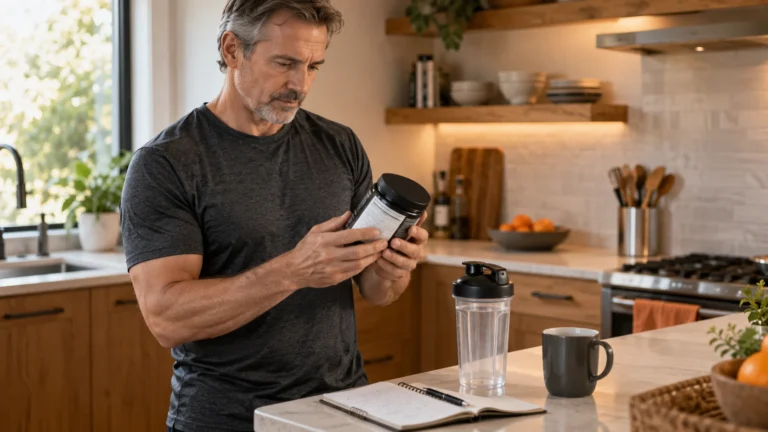
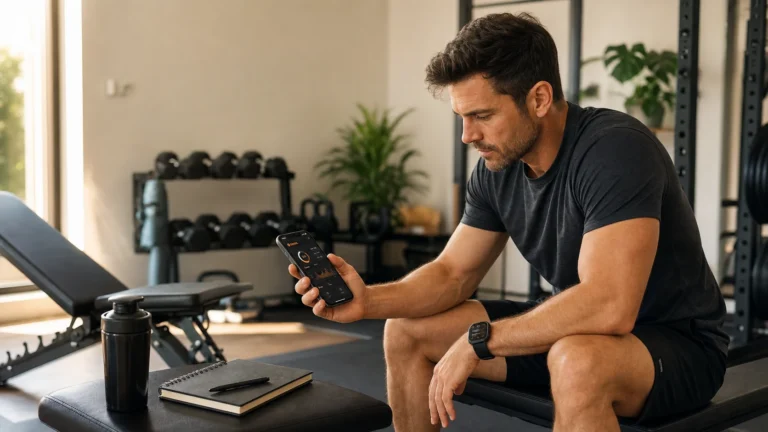
Choose fitness apps for men by goal, data export, wearable sync, privacy, and training fit instead of app-store hype.
- Pick apps by job: logging, nutrition, cardio, recovery, or coaching.
- Check progressive overload, RPE/RIR, wearable sync, and export before paying.
- Build a small app stack you can keep for a year, not a noisy collection.
Bottom line Keep the stack small: one logger, one nutrition tool if needed, and one health hub that protects your data.
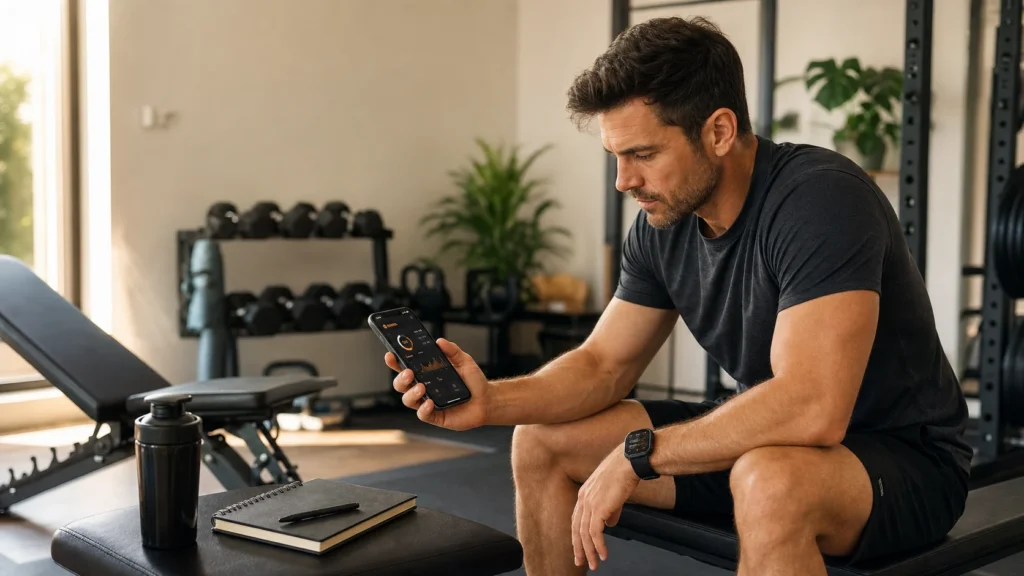
Fitness apps for men should not be digital hype machines. The right app stack should help you log strength work quickly, track nutrition without chaos, connect wearable data, protect your privacy, and turn training history into better decisions.
Quick Summary: Fitness Apps for Men
- Choose the app by job first: strength logging, nutrition, cardio, recovery, coaching, or habit support.
- A serious strength app should make progressive overload, RPE, RIR, volume, and estimated strength trends easy to review.
- Do not ignore data ownership. Look for clear permissions, privacy defaults, export options, and transparent subscription terms.
- The best setup is usually a small stack of specialized apps, not one bloated app that tries to do everything badly.
- Use wearable data as context, not command. Sleep, HRV, heart rate, and readiness signals should adjust decisions, not replace judgment.
The Prime Perspective
A fitness app is useful only when it reduces friction. If it takes longer to log a set than to perform the set, it is a distraction. If it collects heart rate, sleep, steps, body weight, calories, and GPS but gives no practical next decision, it is noise.
For men who train around work, family, travel, recovery, and long-term performance, the question is not “Which app has the most features?” The better question is: Which app gives you the fewest steps between training data and the next smart decision?
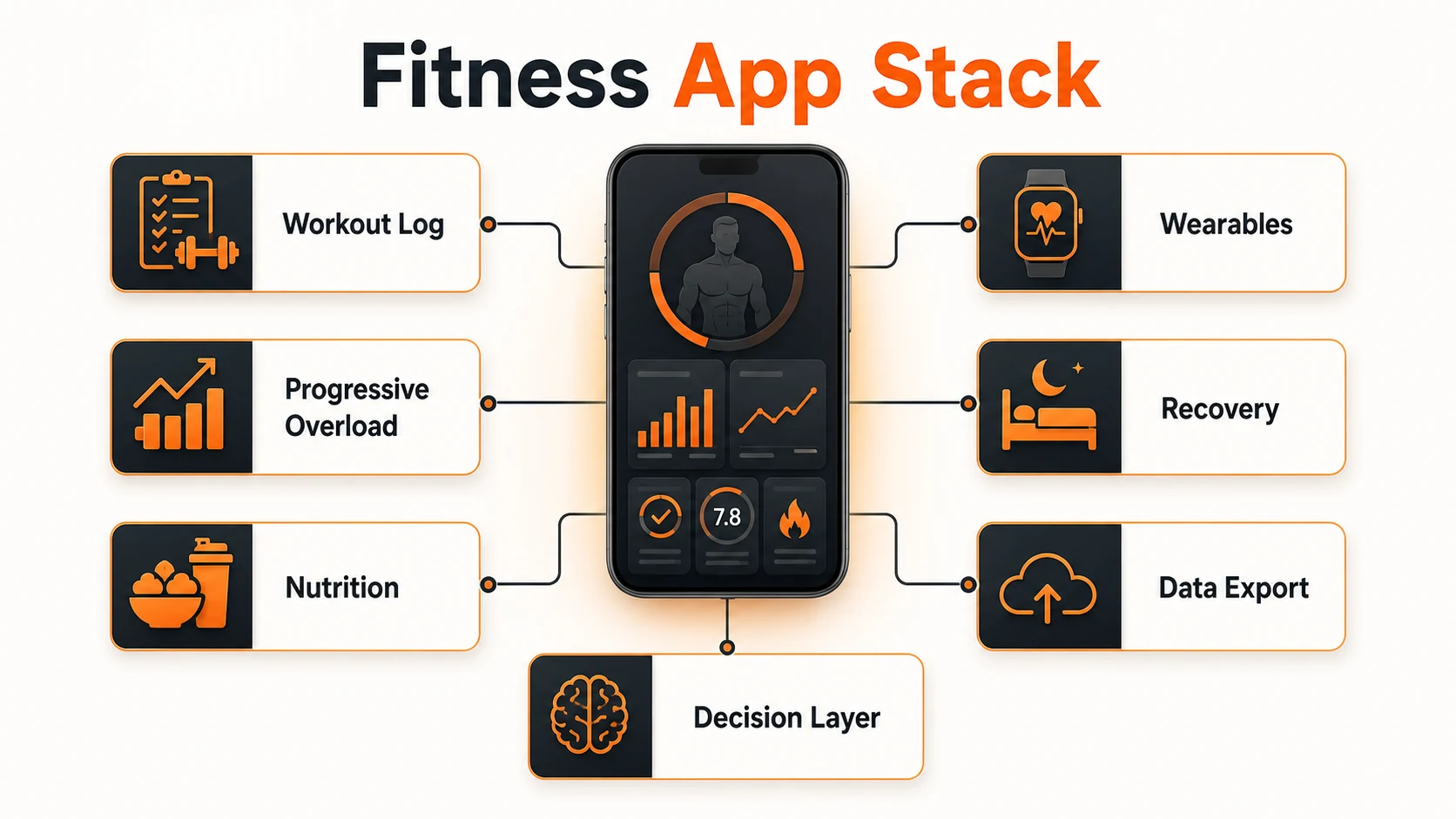
Start With the Job, Not the App Store Rating
Most app-store lists blur completely different tools into one ranking. A workout logger, a macro tracker, a running app, a recovery wearable, and an AI coaching platform solve different problems. Comparing them as if they do the same job creates weak choices.
| Primary job | Best app type | What to check | Common failure |
|---|---|---|---|
| Build strength | Workout logger or progressive overload app | Sets, reps, load, templates, RPE, RIR, volume, e1RM trends | Too much coaching content, too slow to log in the gym |
| Control body composition | Macro and nutrition tracker | Barcode quality, verified foods, weight trend logic, protein targets | Random calorie estimates and messy food databases |
| Improve conditioning | Cardio, running, cycling, or interval app | Zones, GPS, pace, intervals, heart-rate reliability, recovery context | Chasing weekly streaks instead of useful load progression |
| Manage recovery | Wearable ecosystem or recovery app | Sleep trend, resting heart rate, HRV trend, training load, notes | Letting a readiness score overrule obvious body feedback |
| Need guidance | Program library, hybrid coach, or AI fitness app | Progression logic, exercise substitutions, injury boundaries, transparency | Pseudo-AI plans that ignore recovery, pain, and training history |
The Fitness App Categories That Deserve Separate Reviews
This pillar will later connect to dedicated subpages for individual apps and app classes. For now, treat these as the main decision lanes.
Workout Loggers
Hevy, Strong, Fitbod, Caliber, Boostcamp, and TrainHeroic belong in the strength ecosystem. The key test is logging speed plus progression visibility.
Macro Trackers
MacroFactor, Cronometer, MyFitnessPal, and Lose It solve nutrition friction differently. The best choice depends on verified data, trend logic, and adherence.
Endurance Apps
Strava, Garmin Connect, Apple Fitness, Peloton, Nike Run Club, and Zwift are useful when they support repeatable conditioning instead of vanity streaks.
Wearable Hubs
Apple Health, Garmin, WHOOP, Oura, Fitbit, and Health Connect can centralize context, but the app must explain what to do differently.
AI and Hybrid Apps
AI-powered fitness apps can help with suggestions, substitutions, and pattern recognition. They should not pretend to diagnose pain or replace coaching judgment.
Habit and Accountability
Habit apps, calendar systems, and social challenges matter only if they make the next session easier to start and easier to repeat.
Amazon.com Picks: App Stack Hardware
These are not magic purchases. They are high-quality hardware anchors that make a fitness app stack more useful: wearable data, training context, and a stable body-weight trend.

Apple Watch Series 10
Best fit when your app stack lives on iPhone and you want Apple HealthKit to act as the central health hub.
- Strong iPhone app ecosystem for lifting, running, nutrition, and recovery tools.
- Useful wrist access for timers, heart-rate trends, workout sessions, and habit prompts.
- Best when you already use Apple Health as the main data layer.

Garmin Forerunner 265
Best fit for men who combine strength work with running, conditioning, and longer battery-life expectations.
- Strong training-load context for cardio, intervals, and hybrid conditioning blocks.
- GPS and heart-rate tracking support better run and zone-work decisions.
- Useful when you want fewer daily charges than a general smartwatch.

Withings Body Smart Scale
Best fit when nutrition apps need a stable body-weight trend instead of random single-day weigh-ins.
- Makes weight-trend feedback easier for macro and calorie adjustments.
- Helps separate real progress from water, sodium, and travel noise.
- Works best as a trend input, not as a daily judgment tool.
* As an Amazon Associate, PrimeForMen earns from qualifying purchases.
Progressive Overload Is the Strength-App Filter
If the goal is muscle or strength, the app must make progression visible. That does not mean it has to force heavier weight every week. It means it should help you see whether total work, top sets, rep quality, and effort are moving in the right direction.
Set history
You should see previous weight, reps, and notes without hunting through old workouts.
RPE and RIR
Logging effort helps you separate real progress from grinding every set into fatigue.
Trend review
Useful apps summarize volume, estimated strength, frequency, and stalled exercises.
For training basics, pair the app with a clear plan such as strength training basics and a progression framework like progressive overload. The app should support the plan; it should not become the plan.
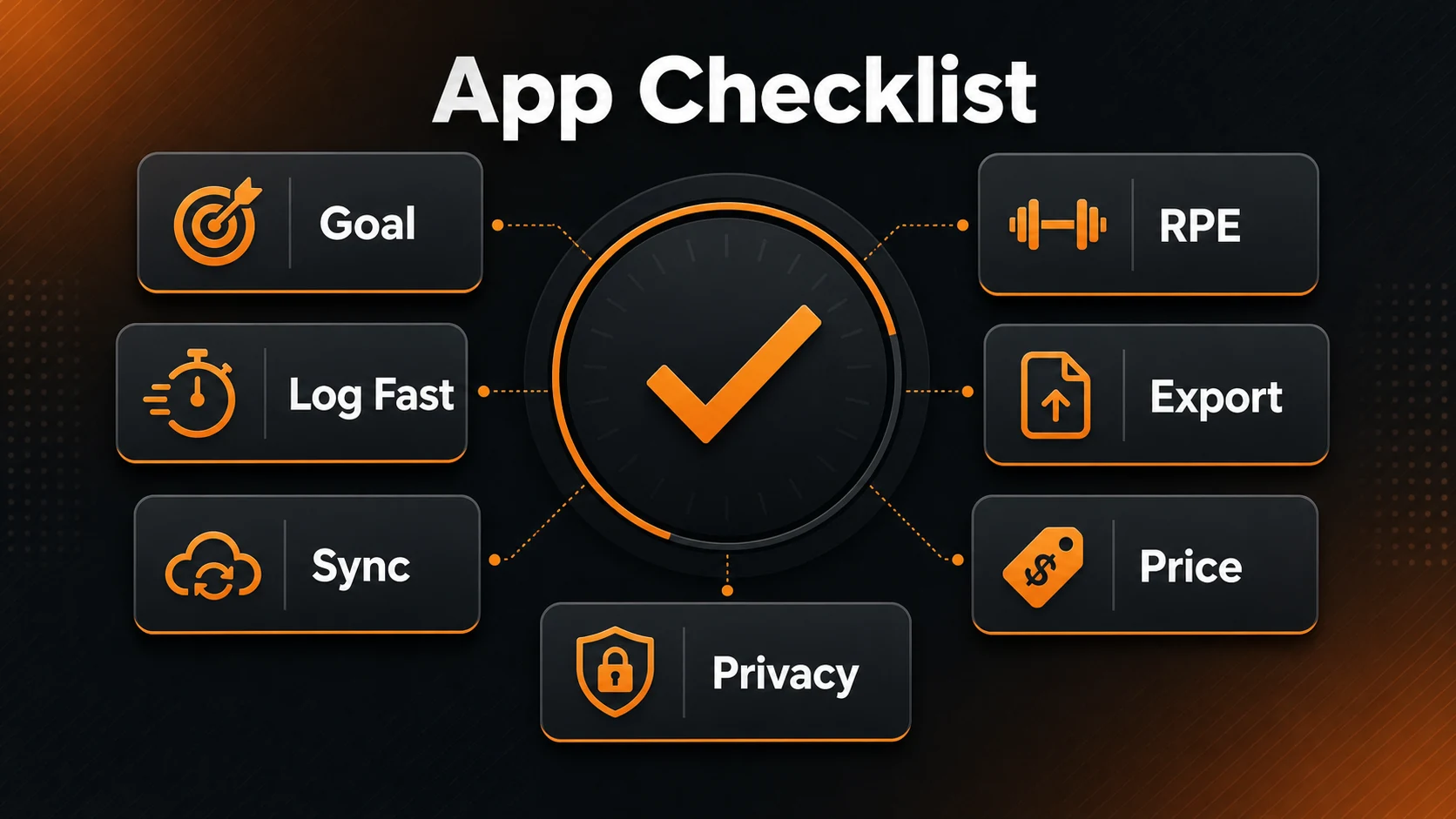
Data Sovereignty: Do Not Rent Your Own Training History
The most overlooked app feature is export. If you log years of training, nutrition, body weight, sleep, and recovery, that history becomes a personal performance database. You should be able to move it.
The subscription trap
Before installing a fitness app, check what happens after the free trial. Many tools are useful only after the paywall, and some make cancellation, export, or account deletion less obvious than the install button.
- Look for CSV export, JSON export, or at least a readable data download.
- Check whether the free tier is actually usable for your core workflow.
- Reject apps that ask for broad contact, location, or ad permissions without a clear reason.
The FTC mobile health app guidance emphasizes limiting permissions, privacy-protective defaults, and careful handling of sensitive health data. That matters even when an app is “just fitness,” because training, sleep, location, nutrition, and body-weight data are still personal.
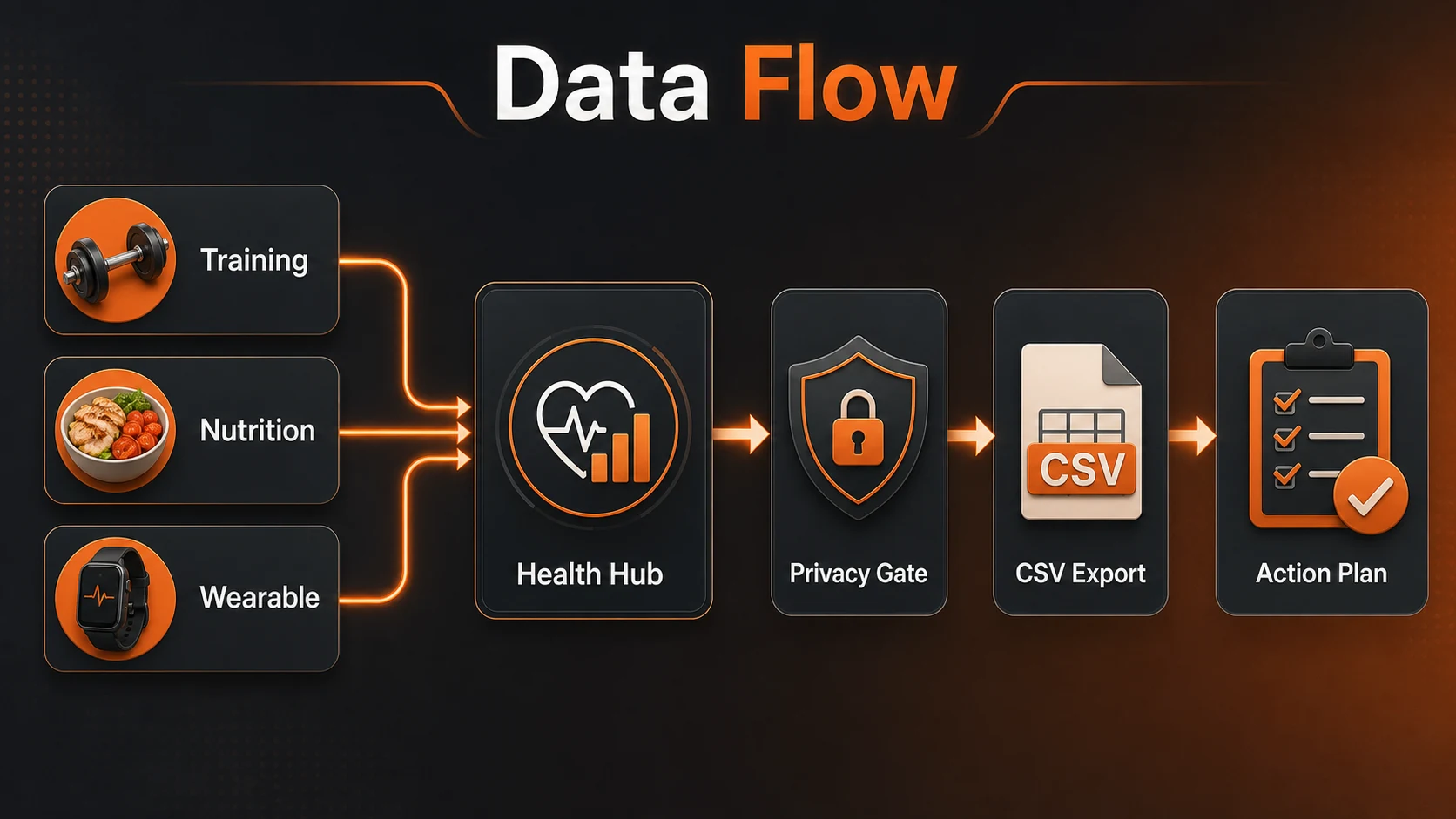
Wearable Sync: HealthKit, Health Connect, and the Reality of App Data
Wearables are useful when they reduce manual entry and add context. They are not useful when they bury you in scores you cannot act on. Apple HealthKit and Android Health Connect exist because fitness data is fragmented across watches, phones, apps, scales, and sensors. If weight is one of the inputs, choose a smart scale with reliable syncing and realistic accuracy limits.
| Data layer | Why it matters | What to watch |
|---|---|---|
| Apple HealthKit | Central iPhone and Apple Watch repository for health and fitness data with user permission. | Permissions should be granular; not every app needs every data type. |
| Android Health Connect | Standardized Android layer for storing and structuring health and fitness data across apps. | Some integrations read, some write, and some do both; verify the direction. |
| Wearable platform | Apple Watch, Garmin, WHOOP, Oura, Fitbit, and similar systems add sleep, heart-rate, load, and recovery context. | Do not treat a readiness score as medical guidance or a command to skip training. |
| Manual notes | Pain, soreness, travel, stress, alcohol, and schedule pressure often explain data better than a score. | The best app still needs human context. |
Apple describes HealthKit as a central repository for health and fitness data on iPhone and Apple Watch, while Android explains that Health Connect stores and structures health and fitness data. In practical terms: choose apps that integrate cleanly with the hub you actually use.
Best Fitness App Type by Goal
| Goal | Best app type | Strong entities to review later | PrimeForMen verdict |
|---|---|---|---|
| Build muscle | Fast workout logger | Hevy, Strong, Fitbod, Caliber | Choose speed and progression visibility over exercise animations. |
| Follow proven programs | Program library | Boostcamp, TrainHeroic | Best when you want structure without writing your own plan. |
| Lose fat without guessing | Macro tracker with trend logic | MacroFactor, Cronometer, MyFitnessPal | Protein, weight trend, and adherence matter more than perfect daily calories. |
| Run or condition better | Cardio ecosystem | Strava, Garmin Connect, Nike Run Club | Use pace, zones, and load trends; ignore social comparison. |
| Recover smarter | Wearable and sleep platform | Apple Health, Garmin, WHOOP, Oura | Use recovery data to adjust dose, not to outsource discipline. |
| Train at home | Plan + equipment tracker | Future home workout app reviews | Pair with practical guides like effective home workout routines and home gym equipment. |
Future Fitness App Review Hub
Because this post is now the pillar, individual app reviews should branch from it later. The subpages should not repeat this overview; they should test one app against one job.
Hevy vs Strong
Pure workout logging, free tier limits, Apple Watch use, templates, export, and gym speed.
MacroFactor vs Cronometer
Nutrition data quality, TDEE logic, micronutrients, barcode workflow, and body-weight trend handling.
Fitbod vs Caliber
Algorithmic coaching, exercise substitutions, plan logic, human coaching boundaries, and value.
Garmin vs Apple Health
Training load, recovery context, daily usability, battery expectations, and third-party app sync.
Strava for men
Cardio accountability, route history, intervals, social pressure, and when to keep it private.
AI fitness apps
What AI can help with, what it cannot know, and how to avoid pseudo-coaching.
Wearable recovery
WHOOP, Oura, Apple Watch, Garmin, HRV, sleep, and how much trust to put in readiness scores.
Budget app stack
Free tiers, lifetime licenses, subscription fatigue, and the minimum paid tools worth considering.
The 8-Week App Implementation Plan
Do not install six apps on Monday and call that a system. Build the stack in phases so every data stream earns its place.
| Phase | Focus | What to track | Success marker |
|---|---|---|---|
| Weeks 1-2 | Baseline | Workouts, body weight, steps, protein, sleep notes | You can see what you actually do, not what you remember doing. |
| Weeks 3-4 | Templates | Recurring workouts, rest times, top sets, missed sessions | Logging becomes faster than improvising. |
| Weeks 5-6 | Autoregulation | RPE, RIR, soreness, sleep quality, HRV trend if available | You adjust volume before fatigue turns into stalled training. |
| Weeks 7-8 | Audit | Volume by muscle group, body-weight trend, cardio load, adherence | You know what to change next month. |
For general activity targets, the CDC adult activity guidelines remain a useful baseline: aerobic activity plus muscle-strengthening work on two or more days per week. Your app stack should make those behaviors easier to plan and repeat.
When a Fitness App Is the Wrong Tool
Knowledge gap: Many app reviews assume more tracking equals better training. It does not. Tracking helps only when the data changes a decision.
Skip or delete an app if it makes you train for streaks instead of outcomes, pushes aggressive progression despite pain, hides basic features behind unclear subscriptions, or makes export nearly impossible. Also be careful with apps that present readiness, calories, or recovery scores as if they are precise medical facts.
If your main problem is workout structure, start with the PrimeForMen fitness hub, AI-powered fitness apps, and wearable fitness tech. If your problem is device choice, compare best fitness trackers, smartwatches, and heart rate monitors.
Conclusion: Build a Small System You Can Keep
The best fitness apps for men are not the loudest, newest, or most gamified. They are the tools that make your next training decision clearer: what to lift, what to eat, when to push, when to pull back, and what data is worth keeping.
Start with one workout logger. Add one nutrition tracker only if body composition matters. Add wearable data only if it changes training dose or recovery decisions. Then keep the stack stable long enough for patterns to become visible.
Sources and Standards Used
Frequently Asked Questions About Fitness Apps
What is the best fitness app for men?
The best fitness app for men depends on the job. Use a fast workout logger for lifting, a nutrition app for macros, a cardio app for endurance, and a wearable hub for recovery context. One bloated app is usually weaker than a small focused stack.
What is the best strength training app?
For strength training, prioritize fast logging, reusable templates, previous-set visibility, RPE or RIR notes, volume trends, and easy exercise history. Dedicated loggers usually beat social or video-heavy apps in the gym.
Should a fitness app track progressive overload?
Yes, if your goal is strength or muscle gain. The app should help you see whether load, reps, total volume, effort, and performance trends are moving forward without forcing reckless jumps every week.
Are AI fitness apps worth it?
They can be useful for exercise suggestions, substitutions, and pattern review. They are not a replacement for judgment about pain, technique, recovery, medical limitations, or long-term programming logic.
Is a free fitness app enough?
Sometimes. A free app is enough if it lets you perform the core job without friction. Pay only when the paid tier adds something that changes outcomes: better templates, export, analytics, verified nutrition data, or meaningful coaching.
What privacy settings should I check first?
Check location, contacts, photo access, health data permissions, public profile defaults, ad tracking, export options, and account deletion. Give the app only the permissions needed for the feature you actually use.
Should I use Apple Health or Health Connect?
Use the hub that matches your phone and wearable ecosystem. Apple HealthKit is central for iPhone and Apple Watch users. Health Connect is the Android layer for structured health and fitness data across supported apps.
Which apps should get dedicated subpages next?
The strongest next subpages are workout logger comparisons, nutrition tracker comparisons, AI coaching apps, wearable recovery systems, running and cardio apps, and privacy-focused fitness app setups.
Medical disclaimer: This article is editorial guidance for fitness-app selection and training organization. It is not medical advice. If you have chest pain, dizziness, severe symptoms, injury, a diagnosed condition, or medication questions, speak with a qualified health professional before changing training or nutrition.
Affiliate disclosure: Some product links may be affiliate links. PrimeForMen may earn from qualifying purchases, but recommendations are based on topic fit and practical reader value.